Grid TV guide and catch-up
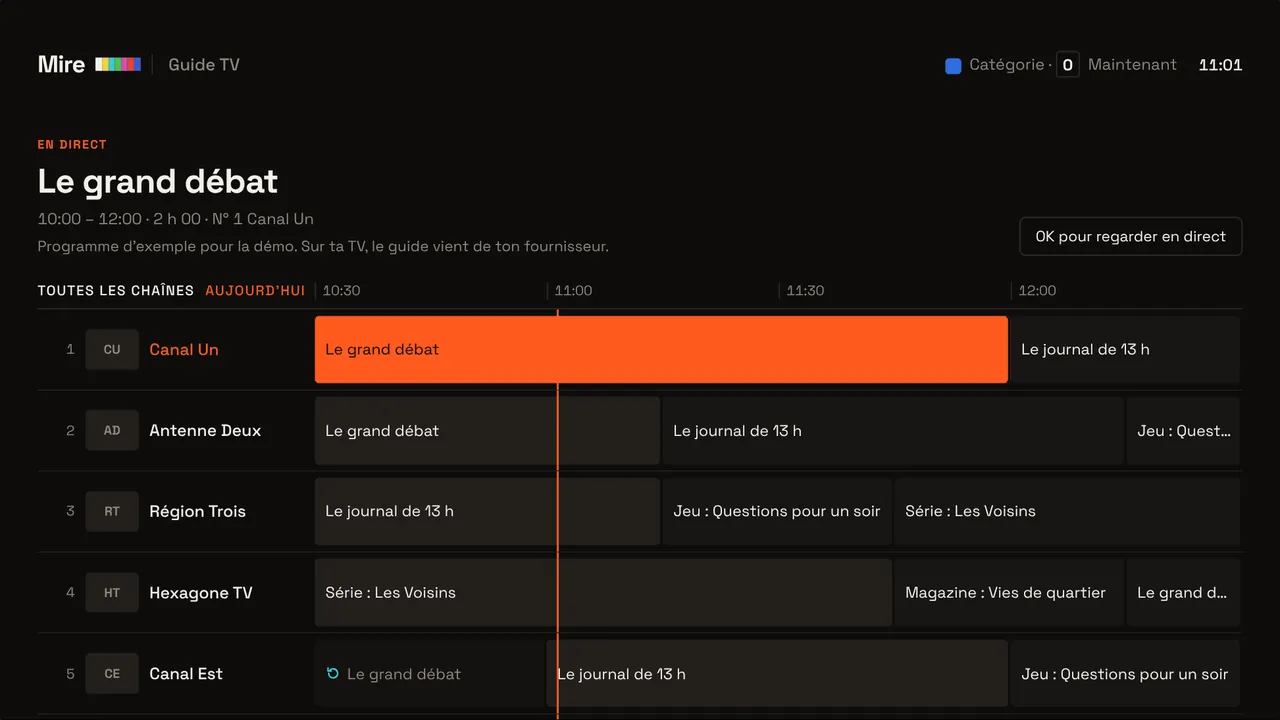
All programmes on one grid, channel by channel. Go back in time and replay a show you missed, when your provider offers catch-up.
Add your Xtream or M3U subscription by scanning a QR code with your phone. Channels, TV guide, catch-up, movies and series come together in an interface designed for the remote.
Available on Fire TV in the Amazon Appstore · and on Google TV on Google Play · LG TVs: very soon
Mire is a player. It contains no channels: you use the subscription of your choice.
Mire plays the Xtream Codes sources and M3U playlists you already own. We do not sell or recommend any provider.
Designed first for the remote: every screen works with the arrow keys, and the colour buttons have a clear role everywhere.
All programmes on one grid, channel by channel. Go back in time and replay a show you missed, when your provider offers catch-up.
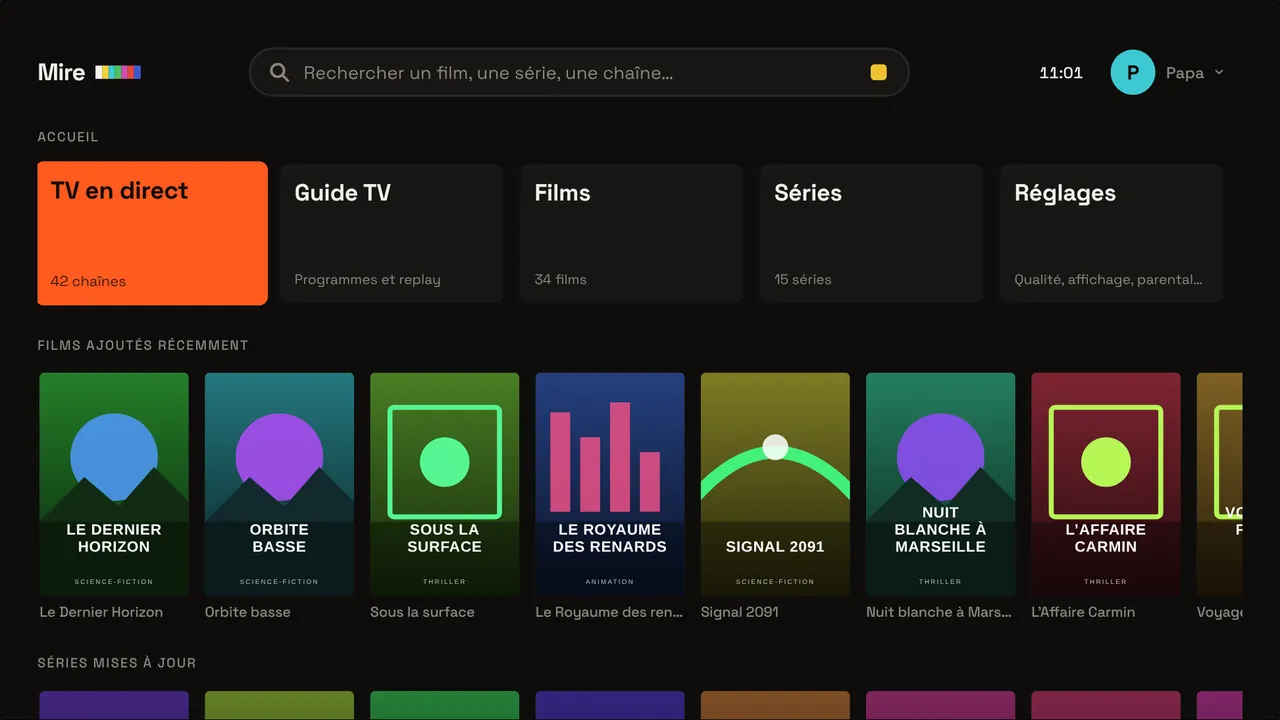
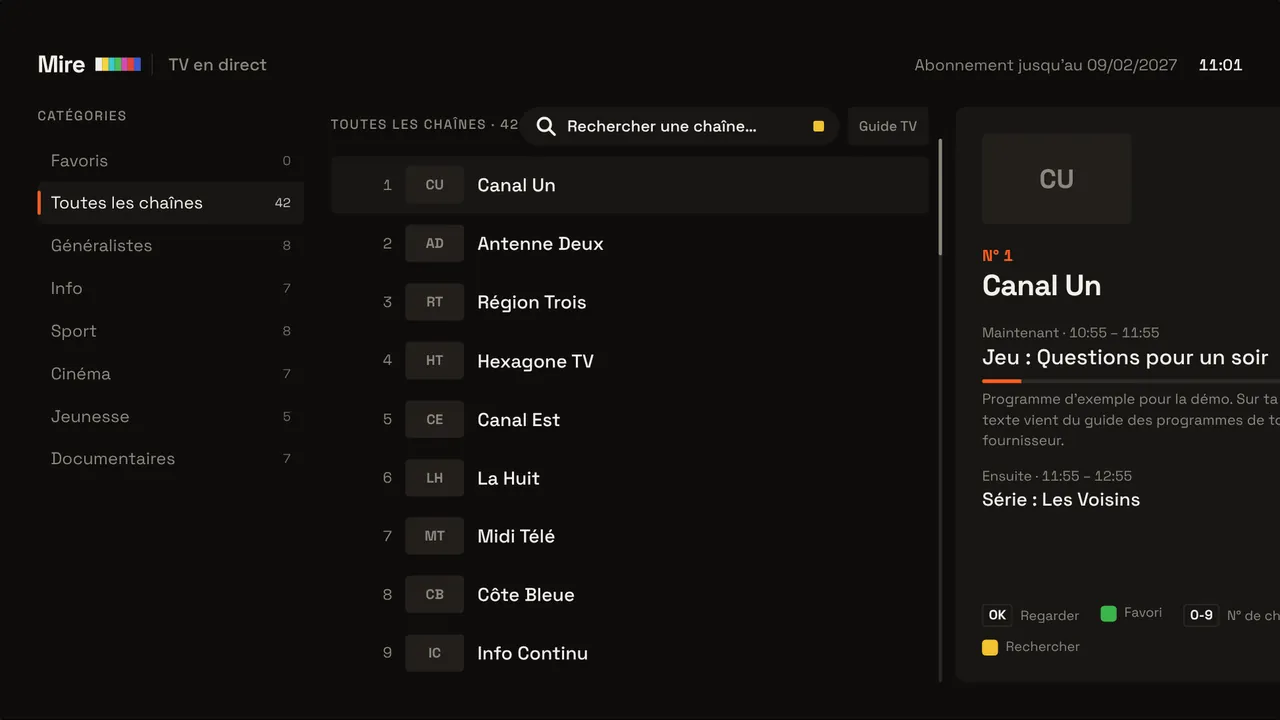
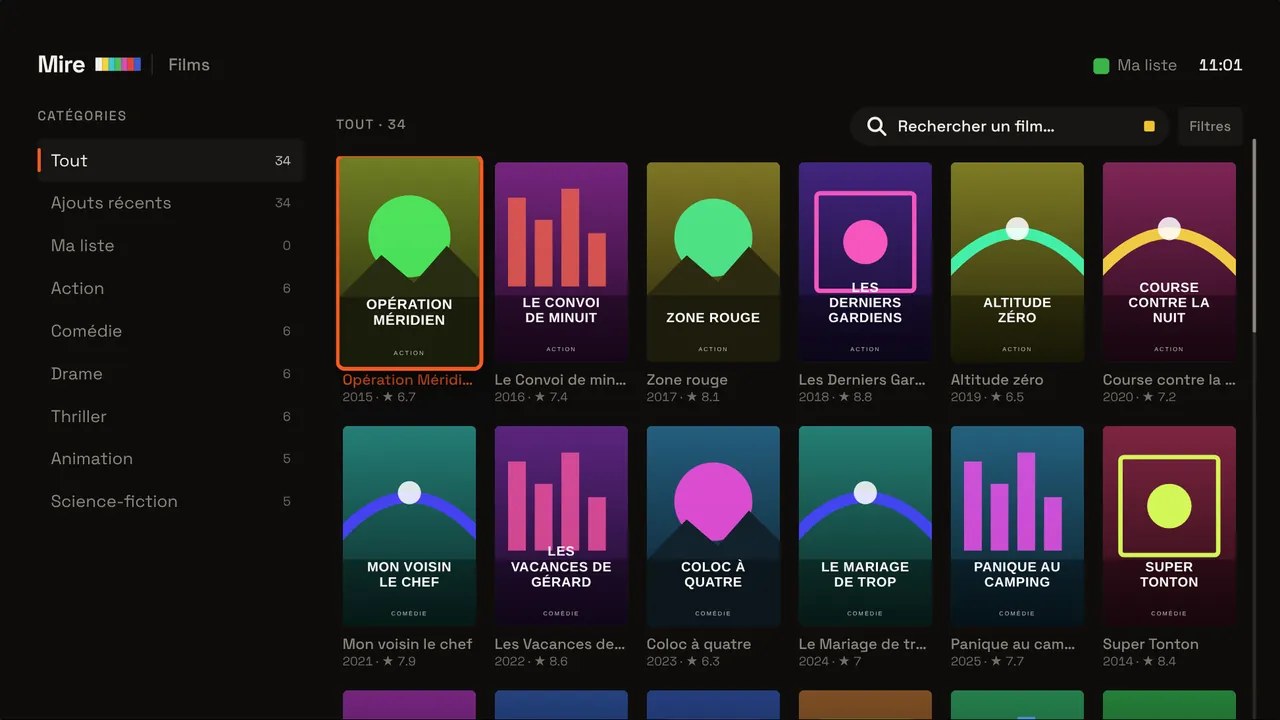
Channels, movies and series from your subscription, sorted by category. Several sources supported.
A title, a channel, an actor: instant results, filters by genre, year and rating.
Resume where you left off, a “Skip intro” button, next episode with a countdown.
Up to 5 profiles, each with its own favourites and history. Kids profile locked with a PIN.
Channel list without leaving the picture, back to the previous channel, direct channel numbers.
The catalogue shows up right away and updates in the background.
The real app screens, shown here in French: the app is also available in English. The channels and movies are examples: at home, you see those of your IPTV subscription.
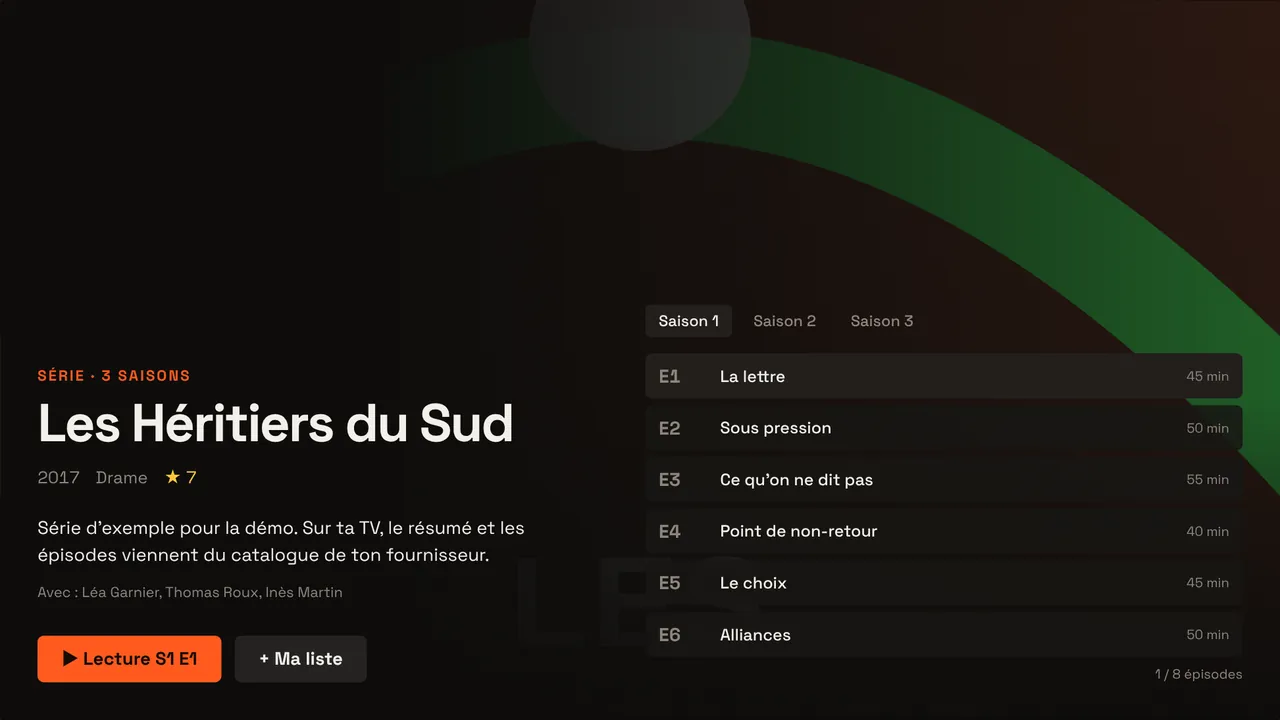
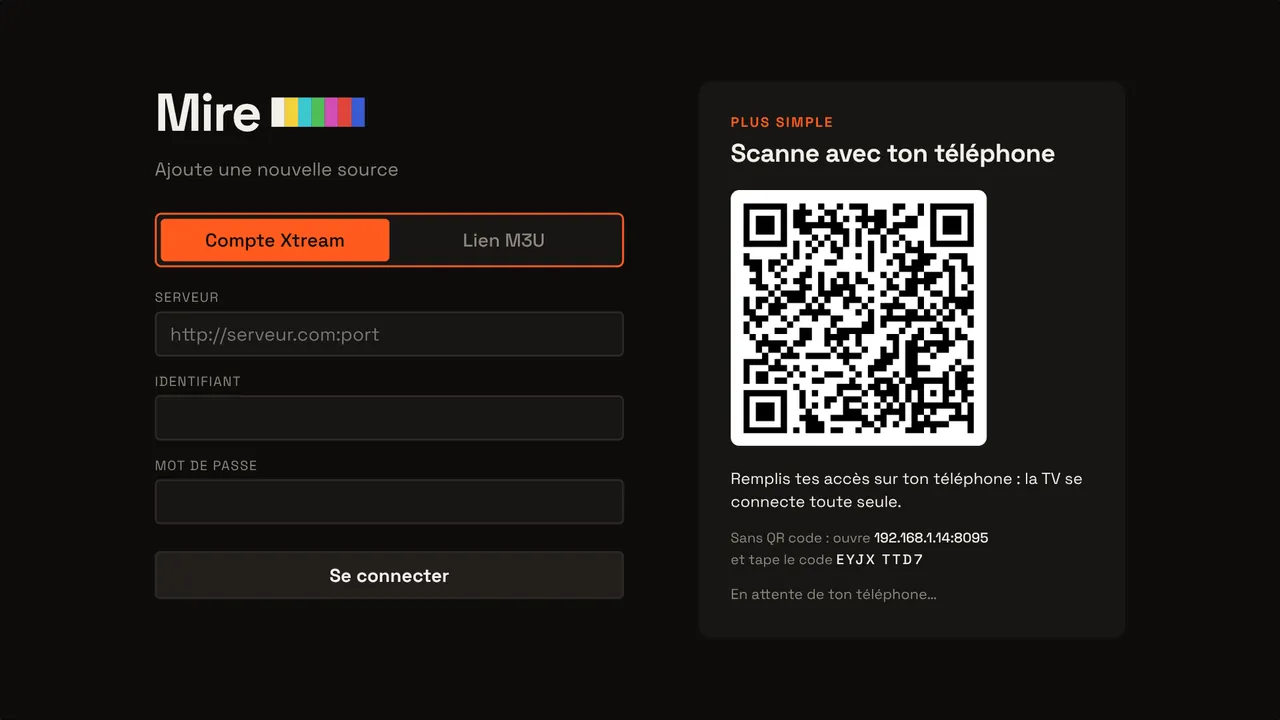
Sign-in
Mire shows a QR code. Scan it with your phone, enter your login details on the page that opens, and the TV connects by itself. The exchange happens at home, on your Wi-Fi network, end-to-end encrypted: your login details never go through any server.
No account to create, no bank card. The trial starts when you add your first source in Mire, on your Fire TV or Google TV.
On Fire TV or Google TV, go to the magnifying glass, search for “Mire” and install Mire IPTV Player from the Amazon Appstore or Google Play (guides in French: Fire TV, Google TV). On LG TVs: very soon on the LG Content Store.
Your 3 free days start when you add your first source, with every feature. No account, no card.
Scan the QR code with your phone and enter your provider’s login details. Channels, guide, movies and series are ready.
Mire simply pauses: nothing is charged, since you gave no card. If you like it, choose a month (€3.90) or a year (€29.90) with the code shown on your TV: it unlocks by itself, and your channels and settings are kept.
The same buttons do the same thing on every screen. On Fire TV, which has no colour buttons, the Menu button opens the options.
Mire is available on Fire TV and on Google TV / Android TV, and coming very soon to LG TVs, currently being reviewed by LG. Versions for other TVs are on the way: same app, same subscription.
Try Mire for 3 days. Then choose a month or a year. No commitment, cancel whenever you want. Net prices, VAT not applicable (art. 293 B of the French tax code).
Several TVs at home? Each extra TV is 50% off for 1 year: €1.95 a month or €14.95 for the first year. Get the link
Another question? Contact support.
Install Mire on your Fire TV (Amazon Appstore) or Google TV (Google Play) and open it: your 3 free days start when you add your first source, with every feature, without an account or bank card. At the end, Mire pauses and nothing is charged. To continue, choose a month or a year with the code shown on your TV. You can see when your trial ends in My account.
An IPTV player is an app that plays an IPTV subscription: it shows your provider’s channels, programme guide, movies and series. Mire is an IPTV player designed for the TV (Fire TV and Google TV, and soon LG TVs), compatible with Xtream Codes and M3U playlists.
Install Mire (on Fire TV and Google TV today, on LG TVs very soon), open it, scan the QR code with your phone and enter your subscription details (Xtream Codes or M3U link). Channels, TV guide, catch-up, movies and series appear within seconds.
No. Mire is only a player, like a music player without music. You use the IPTV subscription or M3U playlist you already own, and you are responsible for its content.
Today on Amazon Fire TV devices running Fire OS: Fire TV Stick (including 4K and 4K Max), Fire TV Cube and TVs with Fire TV built in. The Fire TV Stick 4K Select (Vega OS) is not compatible. Mire is also on Google TV and Android TV TVs and boxes (Android 5.1 or later) via Google Play: Sony, TCL, Philips Android TV, Xiaomi, Chromecast with Google TV, Android TV boxes. On LG TVs from 2020 onwards, Mire is being reviewed by LG and is coming very soon. Use the 3-day free trial to check that everything works for you before paying.
Not yet for Samsung (Tizen), Hisense (VIDAA) and Philips (Titan OS): those versions are on the way. On Android TV and Google TV, Mire is already available on Google Play. The same Mire subscription will work on every TV.
No. They stay stored on your TV. When you sign in by QR code, they go from your phone to your TV directly over your Wi-Fi network, encrypted. The only information sent to our servers is your TV’s identifier, to check the subscription.
Most often, the link is broken on the provider’s side, or the file uses a format the TV cannot decode. Mire tells you which one on screen, so you know who to contact.
One subscription per TV (€3.90 a month or €29.90 a year each). Each TV shows its own activation code. From the 2nd TV, each extra TV is 50% off for 1 year: €1.95 a month or €14.95 for the first year. Get the discount link in My account.
In one click, from My account (you get a sign-in link by email). The subscription stops at the end of the period already paid (month or year), with no fees.
Every subscriber has a referral code, found on the Referral page. Your friend gets 20% off their first payment, and you get a free month (€3.90) for every friend who subscribes, up to 12 months a year.
Yes. The 3-day trial is already there to check that Mire works with your TV and your IPTV subscription before paying. And if you change your mind within 14 days of your first payment, write to support@mireplayer.com: you get a full refund. Details are in the terms of sale (in French).
Need help getting started? Our guides, in French: installing IPTV on an LG TV, adding an Xtream Codes account, playing an M3U link and choosing an IPTV app.